
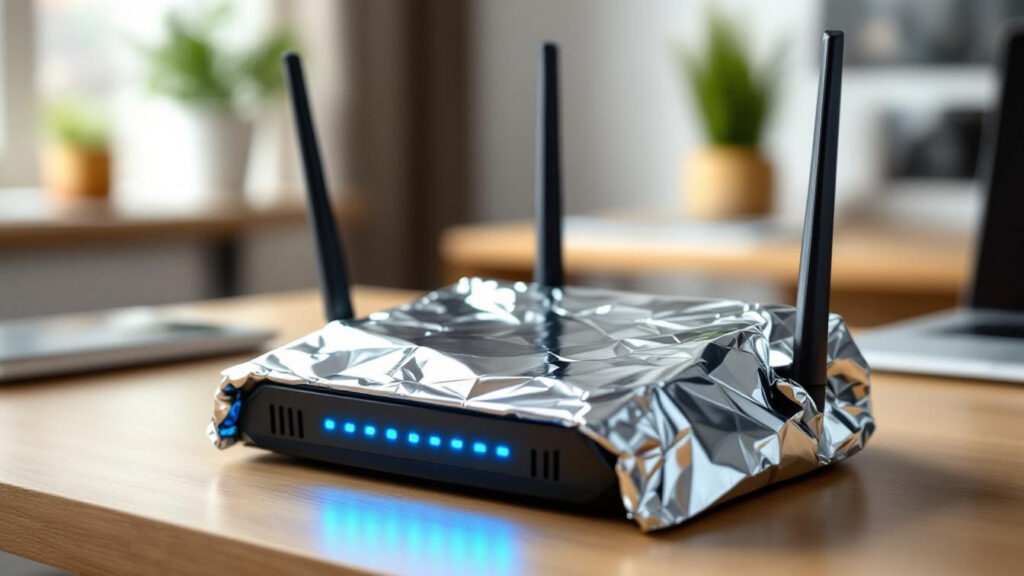

Recent viral trends have a way of capturing collective curiosity, and the latest sensation — wrapping your router in aluminum foil like a burrito — is no different. Originating from a post on X that garnered over 59 million views, this unusual method is being hailed as a potential solution for slow Wi-Fi signals. But does it really work, or is it simply another internet myth? As the lines between technology and DIY solutions blur, it’s essential to separate facts from fiction regarding this seemingly simple hack. This article dives into the science behind using aluminum foil as a signal booster, offering insights and practical tips for improving your Wi-Fi experience.
The Science Behind Wi-Fi and Aluminum Foil
Understanding how Wi-Fi signals operate is key to grasping why aluminum foil could enhance performance. Wi-Fi utilizes electromagnetic waves transmitted in all directions from a router. These waves can be scattered or absorbed by various materials, often resulting in dead zones or weak connectivity. Aluminum foil acts as a reflective surface, returning some of these scattered signals back into the direction where they’re needed. This delicate interplay of reflection and shielding transforms basic household foil into a tactical tool for optimizing your internet connection.
Research and Real-Life Tests
Prominent studies, including experiments conducted by Dartmouth College, demonstrate signal improvements of up to 55% when aluminum reflectors are specifically designed for optimal performance. A similar DIY test showed an increase of 166% in signal strength using paper and foil configurations. These findings suggest that, while simple, this approach can offer tangible results, particularly when targeting areas with previously poor connectivity.
How to Create Your Own Aluminum Foil Wi-Fi Booster
This innovative solution requires minimal investment and can be easily crafted at home. Here’s a straightforward process to maximize your router’s potential:
- Materials: You’ll need heavy-duty aluminum foil, scissors, a cardboard backing, and tape.
- Cut the Foil and Cardboard: Create a reflector approximately 10 inches tall and 15 inches wide.
- Cover the Cardboard: Wrap it entirely in foil, ensuring the shiny side faces outward where it can reflect the signals effectively.
- Shape the Reflector: Form a gentle curve to create a parabolic shape and position it 5-6 inches behind the router.
- Angle It Correctly: Adjust towards your primary usage area, ensuring the foil directs the signal where you most need it.
Pros and Cons of Using Aluminum Foil
Employing aluminum foil as a DIY Wi-Fi booster has its advantages and disadvantages:
- Cost-Effective: Almost free, requiring materials typically found in kitchen drawers.
- Customizable: Can be shaped and adjusted easily to suit various layouts.
- Directional Improvement: Targets weak spots in your network effectively.
- Interference Risks: May interfere with signals in non-targeted areas, reducing overall network efficacy.
When to Consider Professional Solutions
While these DIY methods offer remarkable potential, there are instances when a professional approach may be warranted. Wi-Fi extenders or mesh networks provide consistent coverage throughout larger homes or densely populated areas, eliminating many dead zones that aluminum foil alone cannot address. Solutions like the TP-Link AC1200 router or extenders are affordable and efficient for comprehensive coverage.
Optimizing your network can indeed be as straightforward as wrapping your router in foil, but understanding your unique needs will lead to the best results. Whether opting for a DIY hack or investing in technology, effective strategies are always just a few tweaks away.